
An Event Calendar Clients Run Themselves, Inside Webflow
Organizations with heavy public programming usually face a bad trade. An external events platform brings real scheduling muscle, along with sync failures, another login, and another invoice. A basic calendar widget stays simple and falls over the first time someone needs "every second Tuesday through June." Most teams pick one and live with the regret.
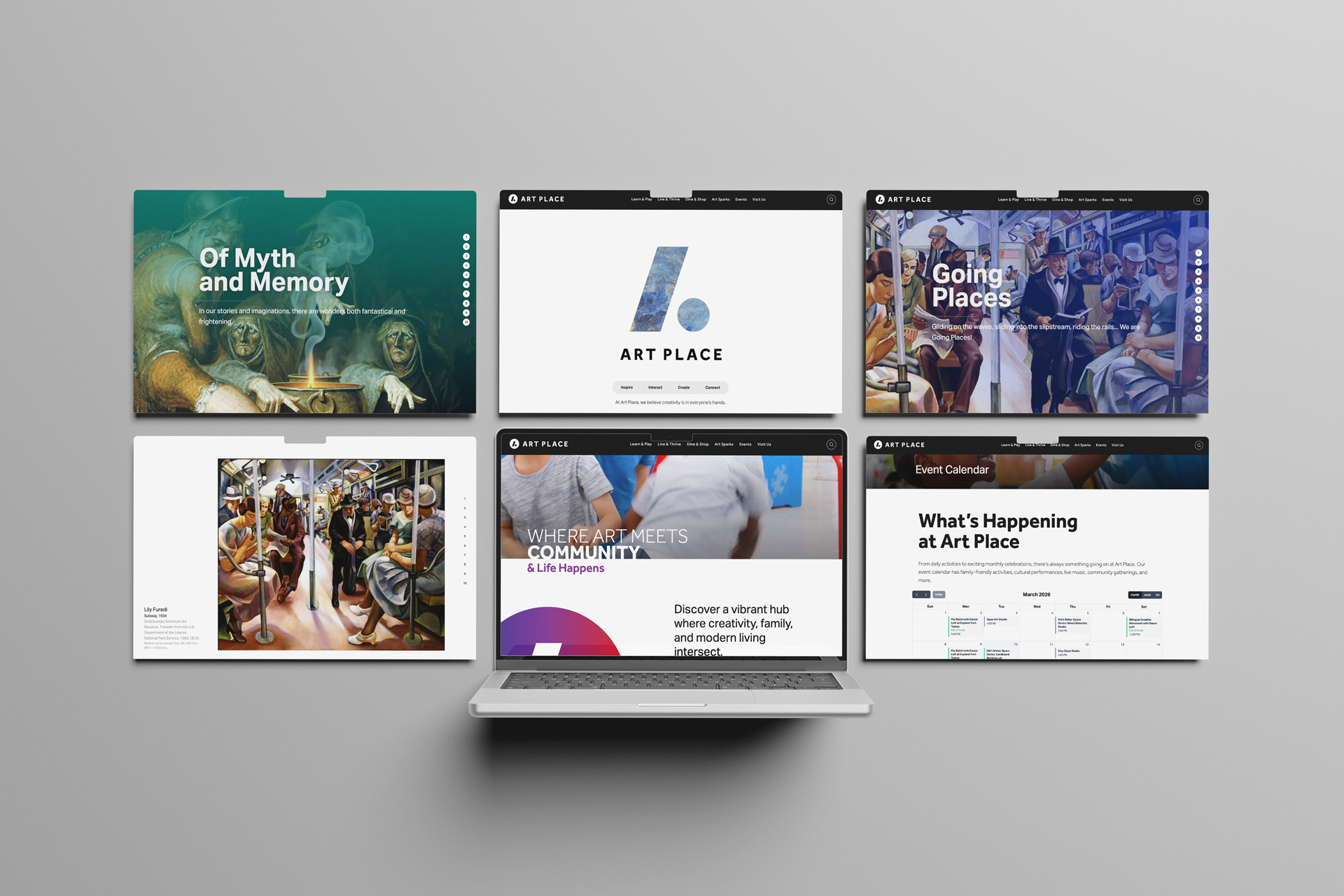
We built a third option: a calendar that lives entirely in Webflow CMS. Events are created and edited the same way a blog post is, recurring schedules work the way they should, and nothing depends on an outside platform staying in sync.
How It Works
The design is deliberately plain. Webflow renders the event data directly on the page, and FullCalendar reads it from there to build the interactive display. No API in the middle. Nothing to sync, nothing to break at 5 p.m. on the Friday before a weekend festival.
Recurrence runs on RRULE, the same scheduling standard calendar software has used for decades, so weekly, bi-weekly, monthly, and annual patterns are all first-class. A single "Weekly Yoga" entry in the CMS becomes 52 individual calendar events with proper dates, times, and metadata. The person managing the calendar writes one entry; the system does the arithmetic.
What the Calendar Does
- Events created and edited directly in Webflow CMS, no external tools
- Recurring schedules (weekly, bi-weekly, monthly, annual) via RRULE
- Month, week, and list views through FullCalendar
- A native Webflow page for every event, so each one is indexable by search engines
- Categories with color coding and filtering
That last SEO point matters more than it looks. External platforms render events inside their own widget or domain; here, every event is a real page on the client's site, which is exactly what search engines want to find.
Where It Runs
We've deployed the same framework across organizations whose calendars have very little in common. A mixed-use development runs resident programming next to retail events. A cultural institution is the stress test—performance schedules where almost nothing repeats cleanly, which is exactly the case RRULE was built for. Community centers mostly need flexible categories. Corporate campuses, access control and branding. One framework, tuned per site.

For Calendars With a Big Backlog
When a client arrives with hundreds of existing events in Airtable or a legacy system, hand-entry is nobody's idea of a good week. For those cases we build an n8n import workflow that does the bulk load: initial setup from the old system, seasonal programming batches, event templates. After the import, Webflow is the single source of truth and the workflow retires.

What Changes Day to Day
The marketing team updates the calendar without asking a developer. Edits appear when the site publishes, not after a sync window. Categories and styling move with the brand when the brand moves. The system has carried hundreds of events per site without complaint.
For the developers on the other side of the handoff: it's standard Webflow custom code, debuggable with ordinary browser tools, customizable in plain HTML, CSS, and JavaScript, with version control coming free from Webflow's publishing history.

Getting It Running
- Set up the Webflow collections: events, categories, recurrence rules
- Wire in FullCalendar with the site's styling
- Deploy the RRULE parsing and event generation
- Brand the calendar interface
- Migrate existing events and hand over the keys

Most deployments are measured in weeks, and the handoff is the point: after step five, the client's team runs the calendar the way they run the rest of their site, and the developer's phone stays quiet.